Financial Clarity,
Directly Self-Hosted
An interactive, privacy-first companion dashboard for Firefly III. Track your cycle pacing, calculate Safe-to-Spend limits, and organize transactions from a responsive mobile-first UI.
Remaining buffer until next payday (July 25th)
Sainsburys Supermarket
Yesterday • -£32.40
Uber Eats Delivery
Today • -£18.50
Shell Petrol Station
3 days ago • -£45.00
Solid line (current cycle) vs dashed line (previous cycle pacing)
{
  "statement_day": 15,
  "payment_due_day": 28,
  "strategy": "full"
}
Sleek Mobile Interface
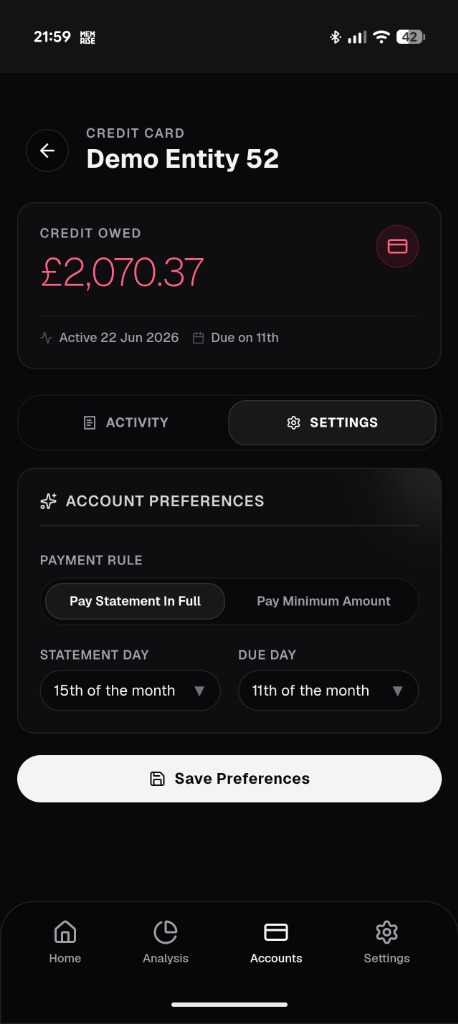
Designed specifically as a progressive web application. Real previews of the interface running in Demo Mode.
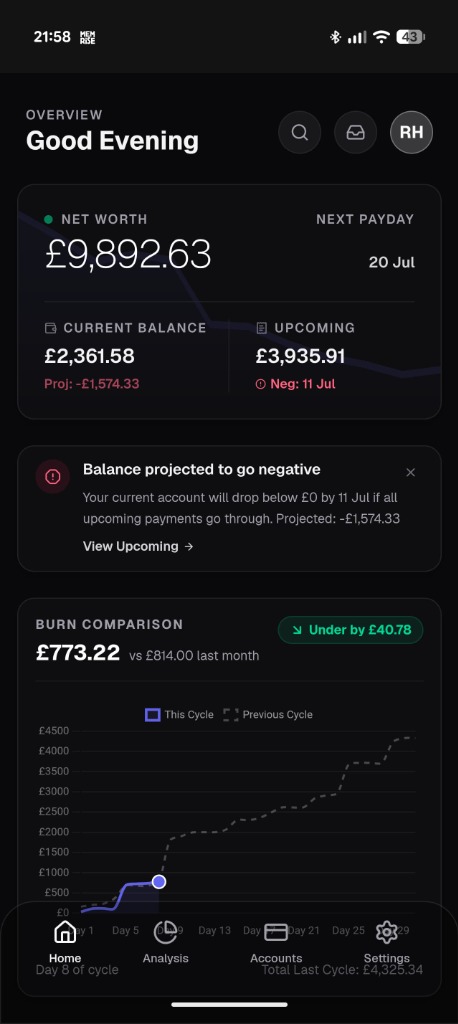
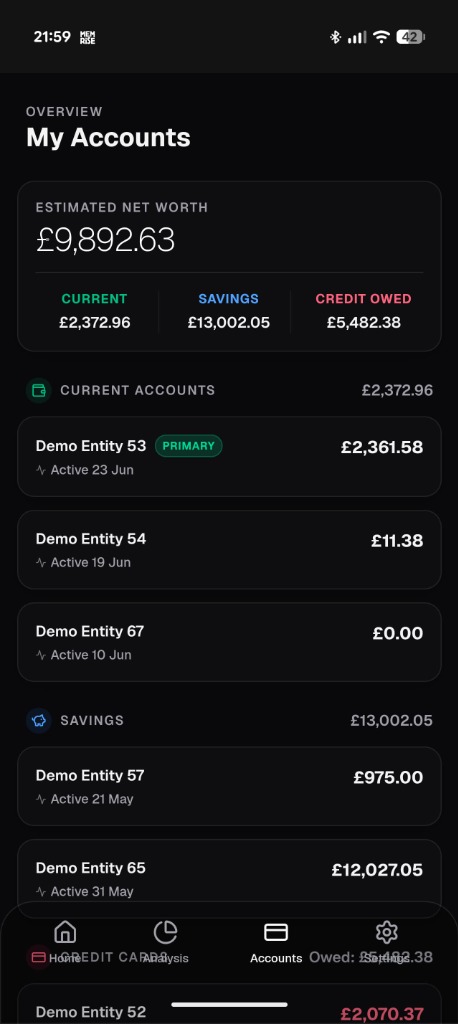
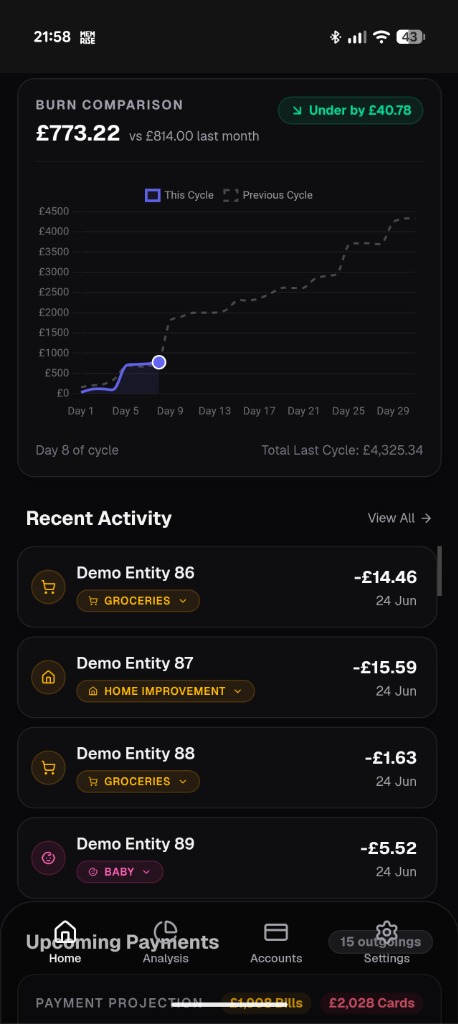
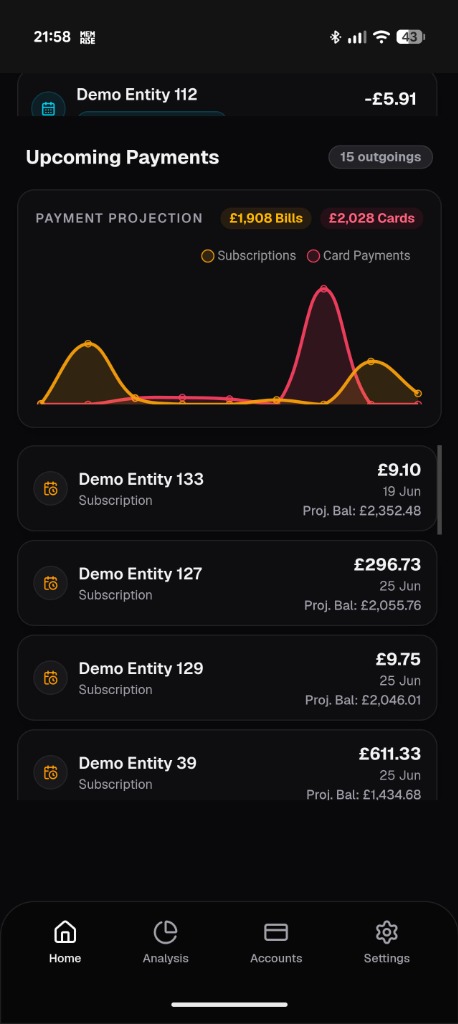
100% Private & Self-Hosted
Your financial data stays within your local network. Includes a built-in Privacy Demo Mode to dynamically mask balances and account names when taking screenshots or presenting.
Safe-To-Spend Algorithm
Know exactly how much you can spend. Computes disposable limits by resolving current asset balances, pending card payments, and cycle recurring bills automatically.
Inbox Queue Categorization
Instantly sort uncategorized purchases made over the last 7 days. Simple one-tap categorizing syncs back to Firefly III instantly using an optimized client cache flow.
Metadata-Driven Automations
Define card strategies and payment intervals. Rules are saved back to Firefly III notes fields dynamically, keeping the setup database-agnostic.
Mobile-First Layout
Designed as a progressive web view. Enjoy swift interactions, bottom touch navigation, and lightweight rendering performance tailored for smartphones.
Pre-Built Docker Image
Runs natively via Docker Compose. Multi-arch support is built-in (works out of the box on Raspberry Pi ARM64 and standard x86 servers) without local build overhead.
Deploy in Minutes
Quick-start commands to configure and host the dashboard on your infrastructure.
git clone https://github.com/giorobert88/financial-dashboard.git
cd financial-dashboard
cp .env.example .env.local
nano .env.local
npm install
npm run dev
docker compose up -d
docker compose logs -f